


Wissen rund um Bitaxe, Nerdaxe und Solo Mining
Bitcoin mining guides: Bitaxe, solo mining and open-source miners
Alle Anleitungen, Guides und Vergleiche an einer Stelle: von der ersten Einrichtung über Pool und Firmware bis zu Kühlung, Stromkosten und der Frage, welcher Miner zu deinem Setup passt.
Home mining comes down to three decisions: which device fits your space and power budget, how you set it up, and how you keep it healthy in daily operation. This hub is sorted exactly that way. Everything here comes from working with the devices we sell and support ourselves.
If you are just starting out
- Bitaxe miner guide – what a Bitaxe is, what it does and who it is for.
- Open-source Bitcoin mining – why open hardware and firmware matter in mining.
- Understanding solo mining – how it works and what expectation is realistic.
Finding the right miner
- Buy a Bitcoin miner – every model with hash rate, power draw and context side by side.
- Miner comparison – the full table by hash rate, watts and price.
- Bitaxe or Nerdaxe? – the two families compared directly.
Setting up – step by step
Each guide runs from unboxing to the first accepted share, with screenshots from AxeOS.
- Set up a Bitaxe – Wi-Fi, pool, wallet and the first readings to check.
- Set up a Nerdaxe Gamma
- Set up a NerdQaxe
Firmware, AxeOS and tools
Our web flasher installs current AxeOS firmware straight from the browser – optionally keeping your configuration, so Wi-Fi, pool and Bitcoin address survive the update. No Python, no command line.
- Bitaxe Flasher – install firmware in the browser, for every AxeOS device we sell.
- Pool configurator – the four AxeOS values for our solo pool, ready to copy.
- Troubleshooter – from fault to cause in three clicks.
- Mining calculator and network dashboard – power cost, block chance and difficulty, live.
- AxeOS firmware update – when an update is worth it and how to do it safely.
- AxeOS explained – every dashboard reading and what it tells you.
- Overclocking – more hash rate without losing the temperature battle.
In operation: pool, cooling, electricity
- Choosing a pool – solo pool, classic pool or your own node.
- Making it quieter – fan curve, heatsinks and what actually helps.
- The right power supply – when the included one is enough and when it is not.
- Calculating electricity – what continuous operation really costs per month.
When something goes wrong
- Troubleshooter – to the cause in three clicks, with hand-over to support.
- Connected but not mining – checking router, pool and network in order.
- Understanding the hash rate error – what the AxeOS value means and when it matters.
- Support page – the common cases plus a direct line to us.
Solo mining and your own infrastructure
- How likely is a block? – the honest maths for every model.
- Running your own Bitcoin node – why it is worth it and what it takes.
- Point your miner at your own node – Public Pool on Umbrel, step by step.
Products that fit
If you want to build a setup after reading, these are the usual starting points:
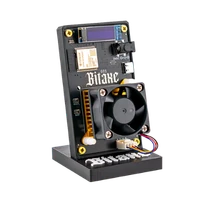
- Bitaxe Gamma 601 – the compact entry into open-source mining.
- Bitaxe Copperzilla – the same board with solid copper cooling.
- NerdQaxe++ – four ASICs, noticeably more hash rate.
- NerdQaxe++ Hydro – water cooling for quiet continuous operation.
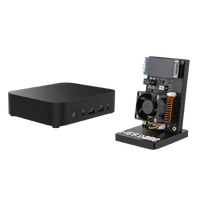
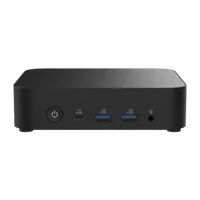
- LiquidBox V5 – a Bitcoin full node for sovereign infrastructure.