

NerdOctaxe | 12 TH/s
Eight BM1370 ASICs on one board – around 12 TH/s for homelab and utility room
Item no.: 18059 · Manufacturer: Bitaxe.de · Series: NerdOctAxe
- Eight BM1370 ASICs, around 12 TH/s
- Roughly 200 W, about 16 J/TH
- NerdOS in the browser, 1.9-inch TFT on the device
- Around 200 W power draw, about 16 J/TH
- Hashrate
- ~12 TH/s
- Efficiency
- ~16 J/TH
- Power draw
- ~200 W
We are re-measuring the figures for Rev 3.2.
plus shipping · −5% with Bitcoin: €664.05
In stock · ships within 24 h
Product information
NerdOctaxe: open-source Bitcoin miner with around 12 TH/s
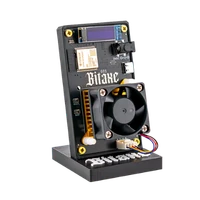
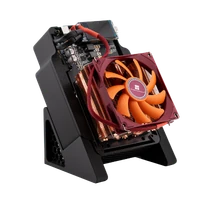
The NerdOctaxe is the jump from one ASIC to eight. The board carries eight BM1370 chips, the same generation that works alone in the small Bitaxe boards. Together they deliver around 12 TH/s at roughly 200 W, so about 16 J/TH. Control still runs through NerdOS on the ESP32-S3, and a 1.9-inch TFT shows the key figures on the device.
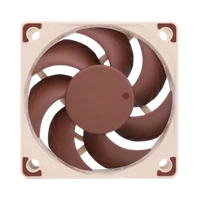
200 W drawn means 200 W of waste heat, pulled out of the heatsink by a 92 mm PWM fan. Under full load the device is clearly audible, and owners accordingly put it on an open shelf or in a utility room.
Solo mining is a question of volume, and that is exactly what the NerdOctaxe shifts: 12 TH/s means twelve trillion attempts per second, each of them a ticket on the next block. If the hit lands on your worker, the full 3.125 BTC block reward plus every transaction fee in the block goes undivided to your own address. In the meantime, your hash rate helps secure the Bitcoin network. More on that in our solo mining guide.
Why eight ASICs instead of eight separate miners
- One device instead of eight: one socket, one power supply, one worker in the pool. The same hash rate from single-chip miners would be eight devices to look after individually.
- Efficiency stays in class: about 16 J/TH, the level of current BM1370 boards. Hash rate grows, consumption per terahash does not.
- Familiar firmware: NerdOS with pool, worker, frequency, voltage and fan curve. If you already run a Bitaxe, there is nothing new to learn.
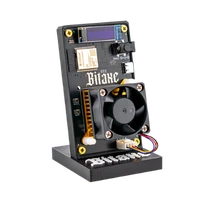
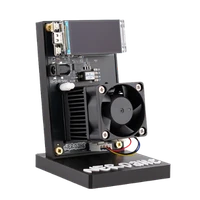
- Readable without a browser: the 1.9-inch TFT shows hash rate, temperature and shares on the device – more practical in a utility room than it sounds.
Heat, airflow and the right location
The NerdOctaxe is not a device you place and forget. All 200 W leave it as heat, and the heatsink needs free air from the front and out the back for that. A closed cabinet or a spot above a radiator means higher ASIC temperatures and a fan working against them.
The fan curve in NerdOS puts that in your hands: for less noise, lower frequency and voltage and accept less hash rate. A cool spot with a draught allows the opposite – higher clocks without the fan running at its limit.
Up and running in minutes
You need a socket, a 2.4 GHz Wi-Fi network and a browser on the same network. No PC or Raspberry Pi required. The detailed procedure is in the NerdQaxe setup guide, which also applies to the NerdOctaxe.
- 1
Choose a spot and connect
Position the miner so air can flow unobstructed through the heatsink, and connect the power supply. It is designed for 12 V at 20 A.
- 2
Connect to Wi-Fi
On first boot the miner opens its own Wi-Fi network. Join it, pick your 2.4 GHz home network and enter the password. The ESP32-S3 will not see a 5 GHz-only network.
- 3
Enter pool, worker and Bitcoin address
Open NerdOS in a browser, store the pool address, worker name and your own Bitcoin address, save and restart. The first shares follow shortly after.
Who the NerdOctaxe is for
It suits people who already run a small miner and know what shares, difficulty and fan curves mean – and now want noticeably more hash rate without switching to sealed industrial hardware. Customers name homelab, workshop or basement as the location.
It is less suitable if the miner has to live in a living room or bedroom, if you only want to try home mining out. In those cases the NerdQaxe++ with around 4.8 TH/s at roughly 80 W is the more sensible choice. If you want more performance and can set up a water loop, look at the NerdOctaxe Hydro.
What you need to run it
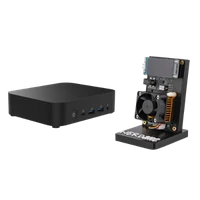
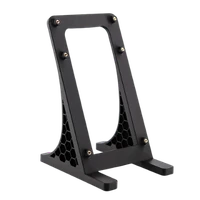
Miner, power supply, 3D-printed stand and quick start guide are included. Beyond that you need a socket, your 2.4 GHz Wi-Fi, your pool credentials and your own Bitcoin address.
Also worth having: a place where warm exhaust air bothers nobody, and the occasional look at dust in the heatsink. With eight ASICs, a clean air path does more than any fine tuning.
Accessories and sensible upgrades
There is little to improve on the miner itself – what happens around it is more interesting: once the hash rate is in the house, the next step is building the block templates yourself.
- Bitcoin nodes for a setup where mining and your own node work together.
- Mining accessories for mounts, power supplies and additions around the build.
Ready for your NerdOctaxe setup?
The NerdOctaxe is the right machine when a single board is no longer enough and you still want to stay with open hardware and your own Bitcoin address. Bring a spot with air, a planned electricity bill and tolerance for an audible device.
NerdOctaxe compared to similar miners
| Model | Hashrate | Power | Efficiency | Price |
|---|---|---|---|---|
| Bitaxe Gamma Hex 1300 | ~10.5 TH/s | ~200 W | ~19 J/TH | €499.00 |
| NerdOctaxe (this page) | ~12 TH/s | ~200 W | ~16 J/TH | €699.00 |
| NerdOctaxe Hydro | 14 TH/s | 220W | ~16 J/TH | €799.00 |
All values are guide figures. Compare all miners, calculate power cost.
Frequently asked questions about the NerdOctaxe
How loud is the NerdOctaxe?
How much electricity does the NerdOctaxe use per month?
How much hash rate does the NerdOctaxe have?
What is the difference between the NerdOctaxe and the NerdQaxe++?
What is the difference between the NerdOctaxe and the NerdOctaxe Hydro?
Can I run the NerdOctaxe in a living room?
Can I solo mine with the NerdOctaxe?
Which power supply does the NerdOctaxe need?
Does the NerdOctaxe need LAN or is Wi-Fi enough?
Is the NerdOctaxe suitable as a first miner?
Can I overclock the NerdOctaxe?
Where should the NerdOctaxe stand?
Why buy from Bitaxe.de?
Free shipping from 200 €
Free shipping to almost every EU country from 200 €, shipping to the EU and Switzerland with UPS and a tracking link. Items in stock leave within 24 hours, with no customs surprises inside the EU.
Truly open source
Bitaxe, Nerdaxe, NerdQaxe & co. are open hardware running open firmware (AxeOS or NerdOS): you set pool, clock and voltage yourself. No cloud account, no vendor lock-in, no black box.
CE, warranty & returns
Every product carries the CE marking. Plus statutory warranty and a 14-day right of withdrawal for a safe order. If something is not right, we find a solution with you, person to person.
Direct support
Questions about setup, pool, firmware or your order? By email or Telegram you get help from someone who runs these devices themselves, in English or German, beginners welcome.
Customer reviews
4.6 / 5 · 63 reviews from customers who bought this product from us.
hatte erst überlegt drei kleine zu nehmen, dann doch lieber einen mit acht chips, und wow. steht im technikraum, rauscht vor sich hin und ich grinse jedes mal beim reinschauen.
I'll say upfront that I don't understand most of the settings on the web page; I typed in the pool details my brother-in-law wrote down for me and have not touched anything since. What I can report on is the room. It lives in the small spare bedroom upstairs, and within a day it was the warmest room in the house, the thermometer on the wall went from 21 to about 25 with the door shut. In early August that was a bit much and the window stayed open; now at the end of September it is actually pleasant in there and the radiator stays off. Noise is a steady whoosh, with the door closed you stop noticing it. The screen on the front shows a number around 11 and a bit, which I am told is good, and a temperature in the fifties, also apparently fine. Two months without it stopping once. The electricity bill went up noticeably, I was warned, it still stung a little. If it keeps that radiator off through the winter it will have earned back a bit of its own power, and that is as far as my maths goes.
Hab das Display für Spielerei gehalten, so eine Anzeige schürft nichts. Jetzt stapfe ich jeden Abend in die Garage und gucke auf Hashrate und Temperatur wie andere auf ihr Aquarium.
What struck me on unpacking was the heatsink: clean fins, a flat contact surface and the 92 mm fan on its PWM header, nothing rattles when it spins up. Six weeks at stock clocks now, 11.4 TH/s for 196 W at the wall, roughly 17 J/TH. ASIC temperature sits between 53 and 55 °C, the voltage regulator a touch cooler. I vacuum the fins every couple of weeks because dust shows up in the temperature graph before you see it on the heatsink.
Im Hobbykeller mit knapp zwölf Quadratmetern merkt man die 200 Watt deutlich: Seit der Octaxe dort läuft, liegt die Raumtemperatur etwa drei Grad höher, Ende August war das weniger lustig, jetzt im Herbst nehme ich es gern mit. Hashrate stabil, der Lüfter pendelt sich mit PID bei etwa 60 Prozent ein, durch die Kellerdecke höre ich ihn nachts nicht. Die Verpackung fand ich etwas dünn, das Board lag nur in einer Lage Luftpolsterfolie im Karton, angekommen ist aber alles heil.
Hat alles hervorragend geklappt, Miner läuft tadellos! Danke, auch für schnellen Supportkontakt.
Related guides
Setup, pool, cooling, power supply and sensible upgrades for your setup.


