
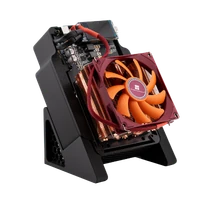
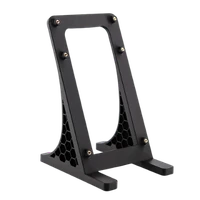
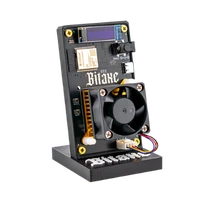
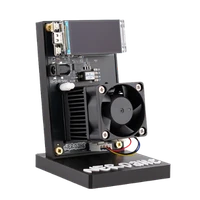
Open-source Bitcoin mining
Bitaxe, Nerdaxe & NerdQaxe: open-source Bitcoin miners for your home
Bitaxe, Nerdaxe, NerdQaxe and NerdOctaxe with open AxeOS firmware – plus nodes, cooling and accessories.
Best sellers

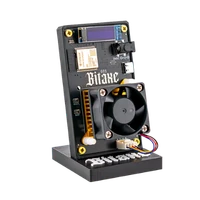
Bitaxe Gamma | 1.3 TH/s

NerdQaxe++ Rev7 | 4.8 TH/s

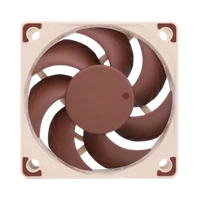
Noctua NF-A4x20 Silent Fan

NerdOctaxe | 12 TH/s

ICE Tower Kit

ICE Tower Low Profile Kit
New products

AirFan 40 | Replacement fan 40 mm

AirBlock 40 | Cooler with fan
 Vorbestellung
Nexus S1-02 | 10 TH/s
 Vorbestellung
Nexus S1-01 | 5 TH/s
 Vorbestellung
Bitaxe Gamma Hex 1300 | 10.5 TH/s

AXP90 Copper Pro
Super Sale!
The best deals, for a short time only. With the restock alert you hear about new offers first.
 Bitaxe Gamma | 1.3 TH/s 4,8 €219.00 from €139.00 incl. VAT
 NerdOctaxe | 12 TH/s 4,6 €999.00 €699.00 incl. VAT
 NerdQaxe++ Rev7 | 4.8 TH/s 4,7 €499.00 €349.00 incl. VAT
 Nerdaxe Gamma | 1.3 TH/s 4,8 €219.00 €159.00 incl. VAT
 NerdQaxe++ Hydro | 6 TH/s 4,9 €529.00 €399.00 incl. VAT
 Bitaxe Gamma Copper Pro | 1.5 TH/s 4,9 €219.00 €179.00 incl. VAT
*Stock may be limited.
Best sellers by category
Bitaxe Gamma | 1.3 TH/s
NerdQaxe++ Rev7 | 4.8 TH/s
NerdOctaxe | 12 TH/s

Bitaxe GT | 2.15 TH/s

Bitaxe Gamma Copper Pro | 1.5 TH/s

NerdQaxe Copper Pro | Overclocking ready


★ 4.8 out of 5 stars from 1,292 reviews by customers who bought from us.
Free for every miner
You can use the pool and every tool no matter where you bought your miner. No account, no sign-up.
-
Solo pool
Bitaxe Pool: solo mining at 0 % fee
Server in Frankfurt, no account, no payout threshold: if your miner finds a block, the full reward goes straight to your address via the coinbase. Host stratum.bitaxe.de, port 3333, your Bitcoin address as user.
Right now 2.73 PH/s from 1,162 miners at 868 addresses
-
Web flasher
Flash firmware in your browser
flasher.bitaxe.de detects your miner over USB and installs AxeOS or OSM-OS, no software and no account. Also for miners that no longer start. Works in Chrome and Edge.
-
Pool configurator
Ready pool settings for AxeOS
Pick a pool, enter your Bitcoin address and copy host, port, user and password, for Stratum V2 too if you like.
-
Troubleshooter
Miner not running?
Pick the symptom, read cause and fix: no Wi-Fi, no shares, low hashrate, restarts or overheating.
-
Telegram alert
Get told when your miner goes down
@bitaxepool_bot messages you when your miner has not delivered a share for 15 minutes and when it is back. Send your address, done. For every miner on the Bitaxe Pool.
-
Bitaxe Rewards
Points for mining, money off in the shop
On the Bitaxe Pool every address collects 3.6 points per TH/s and day. 100 points are €1 off, redeemable from 500 points for up to 10 % of an order.
What our customers say
4.8 out of 5 stars from 1,292 reviews by customers who bought from us.
- ★★★★★
It's AWESOME. (I just wish I bought it with a noctua fan, in fact it should be default fan, the standard one is noisy)
Yves · Verified purchase · Nerdaxe Gaia - ★★★★★
Great little miner! Easy to set up, runs stable and the display is a nice touch. Very happy with it
Chris · Verified purchase · Nerdaxe Gaia - ★★★★★
Easy swap, apart from getting the Copper Pro to sit perfectly flat, since it likes to shift a little to one side until it is fixed. After a month at 625 MHz and 1150 mV the ASIC reads 52 °C in a 21 °C room with the fan on auto. One thing to check before ordering: the Gamma no longer fits the small printed case I had, so now it lives open on a shelf.
Wim · Verified purchase · AXP60 Copper Pro - ★★★★★
Ordered in August but only running for two weeks, it took me that long to find a spot outside the bedroom. Setup in AxeOS was less scary than expected: join the miner's own wifi, pick the home network, enter pool and wallet address, done. The first evening it kept restarting, entirely my fault, I had it on the crowded power strip under the desk; own wall socket, not one restart since. The power brick is serious, and so is the number on the smart plug.
Vladimir · Verified purchase · Bitaxe 702 - ★★★★★
Dreaded the setup as a complete novice, yet joining the miner's own Wi-Fi and picking my network took minutes. Default settings all summer, and apparently the copper leaves room to push it further one day.
Padraig · Verified purchase · Bitaxe Gamma Copper Pro - ★★★★★
Choosing the case version was easy for us because our cat inspects everything new that appears on a shelf and a bare circuit board with a spinning fan looked like an open invitation. Four months later the board is still covered and the cat has lost interest completely. The case also keeps most of the dust off which matters in an old flat with the windows open half the summer. Setting it up was less scary than I expected for someone who had never done anything like this. The part that took longest was copying my Bitcoin address over and checking it three times. Since then it has been sitting on the hallway shelf showing about 1.1 TH/s and a chip temperature in the high fifties. I had to ask a friend what half the numbers mean and I still do not fully get difficulty but I like seeing it work away. When the power went out for an hour in August it came back on its own and carried on as if nothing had happened. If I ordered another one I would pick the case again without a second thought.
Kristjan · Verified purchase · Nerdaxe Gamma - ★★★★★
Room at 22 °C, Gamma on AxeOS 2.15.3, five days of checking the dashboard far too often. With the stock cooler and factory settings my ASIC sat around 60 °C and the little 40 mm fan was spinning fast most of the day. Same settings with the AXP60 and the fan on auto: the chip stays at 48 °C while the fan just idles at the minimum speed I set, so the regulation has basically nothing to do! Of course I could not leave it like that. At 700 MHz and 1200 mV the ASIC now holds about 55 °C, VR around 68 °C, and the hashrate settled near 1.42 TH/s. The 60 mm fan also sounds totally different, a deep whisper instead of a mosquito. Next experiment: the little copper heatsinks on the VR, I am curious if they knock a few degrees off those 68.
Zuzana · Verified purchase · AXP60 Copper Pro - ★★★★★
Closed box, runs off a USB-C brick, has done its 6 TH/s for three months now, and the fan is a soft whoosh I tuned out after the first week.
Ola · Verified purchase · Avalon Nano 3s - ★★★★★
Waited almost two weeks on backorder which annoyed me and the PSU brick barely fits behind my desk but for a month now it hovers around 6.3 TH/s on stock.
Davide · Verified purchase · NerdQX - ★★★★★
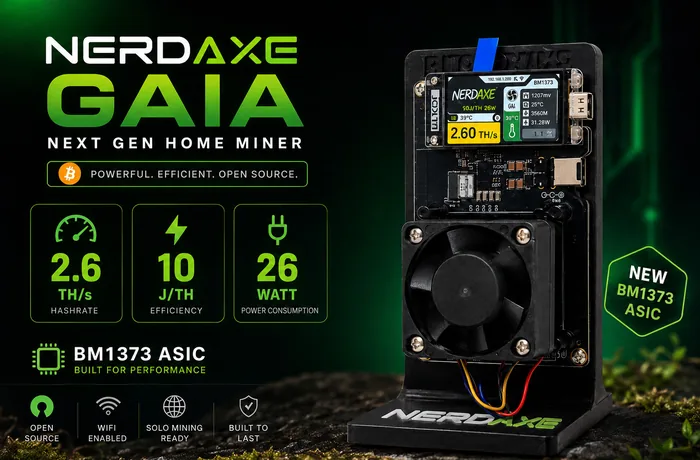
Efficiency was the whole reason I bought this, so naturally each of my two miners now sits on its own smart plug. The Bitaxe Gamma pulls about 18 W for 1.2 TH/s, roughly 15 J/TH. The Gaia shows 2.4 TH/s on its screen while the plug reads 27 W, which works out to a little over 11. Double the hashrate for nine extra watts, from something that takes up about the same space on the desk, and that trade suits me far better than an 80 W box with a fan to match. Everything is still at stock, fan on auto, chip hovering just under 60 degrees. What I did not see coming is how much I enjoy the bigger screen after a year of squinting at the Gamma's tiny OLED. I now keep a little spreadsheet of watts per terahash for both machines, updated every Sunday, which my flatmate finds deeply worrying. It arrived a fortnight ago, and the bit of warm air it pushes across the desk is already welcome now that the evenings are getting cold.
Krzysztof · Verified purchase · Nerdaxe Gaia
Latest blog posts

BM1366, BM1368, BM1370, BM1373: Bitmain's Chips in Home Miners Compared
BM1366, BM1368, BM1370 and BM1373 compared: small cores, clock, voltage and hashrate per chip from the source code of AxeOS, NerdOS and NMAxe, where each chip comes from, the formula behind every hashrate figure and what the chip really means when you buy a home miner.
Read more
Bitaxe hardware faults: what Power Fault, the self-test and chip count 0 really mean
What “Power Fault Detected”, “ASIC 0 not found” and a failed self-test really mean: every AxeOS 2.15.4 hardware message explained from the source code, with the five reasons the voltage regulator shuts down, all twelve self-test checks and a flowchart that ends at support.
Read more
Bitaxe security: AxeOS login and password, home network, hotspot and remote access
AxeOS never asks for a password: anyone on the same network can change the pool and the payout address. Which gaps are open as of October 2026, how to separate the miner on your home network, reach it without port forwarding and notice a foreign address right away.
Read moreAt Bitaxe.de you will find Bitaxe miners, Nerdaxe models, matching bundles, accessories, cooling and upgrades for your own mining setup. Our shop is for everyone who wants to do open-source Bitcoin mining at home in a way that is understandable and practical – from the first step to a deliberately larger setup.
Bitaxe miners, Nerdaxe and accessories in one place
Whether you want a compact entry into home mining or more performance for your own setup: here you find current miners, selected accessories and matching extensions for different requirements. So you can not only buy a Bitaxe but grow your setup step by step.
For beginners and experienced users
Bitaxe.de is for everyone who wants to experience Bitcoin mining rather than just watch it. Besides products you also find support, guides and useful material around solo mining, setup and tuning. That makes starting easier and existing setups better.
Open-source Bitcoin mining, explained and usable
Our focus is on compact, open and practical mining solutions for the home. If you want to buy an open-source Bitcoin miner and care about matching products, clear information and a strong community around Bitaxe and Nerdaxe, Bitaxe.de is the right place.