


Bitaxe miner guide: what a Bitaxe is, how it works and which one suits you
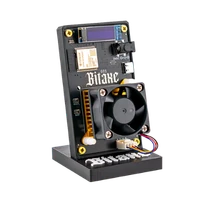
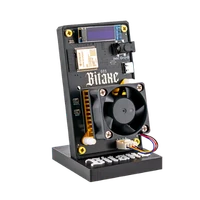
A Bitaxe is a Bitcoin miner in miniature: a Bitmain ASIC on an open board, an ESP32 as the controller, a 40 mm fan, AxeOS in the browser. Technically it does the same as a machine in a data centre – at 15 watts and under 15 dB(A) on your desk. This guide explains how it works, which models exist, how to set it up and who it is meant for. Prices and buying advice are under <a href="/en/buy-bitaxe">Buy a Bitaxe</a>.
Aktualisiert am 22. August 2026
What a Bitaxe is
In 2023 the Bitaxe project did something the mining industry had not wanted for ten years: it put a single ASIC from an Antminer on its own open board and published the firmware for it. An Antminer S21 Pro carries hundreds of these chips, needs 3,500 W and a basement; a Bitaxe carries one chip, needs 15 W and a free spot on the shelf. The computing work is the same – SHA-256 hashes on a block template – only the scale differs.
So the Bitaxe is not a toy and not a “learning device” but a full miner with the hash rate of one chip. Every hash it finds has the same chance of a block as every hash from a farm. What differs is the number: a Gamma computes 1.3 trillion hashes per second, the network around 1,000 quintillion.
How a Bitaxe works
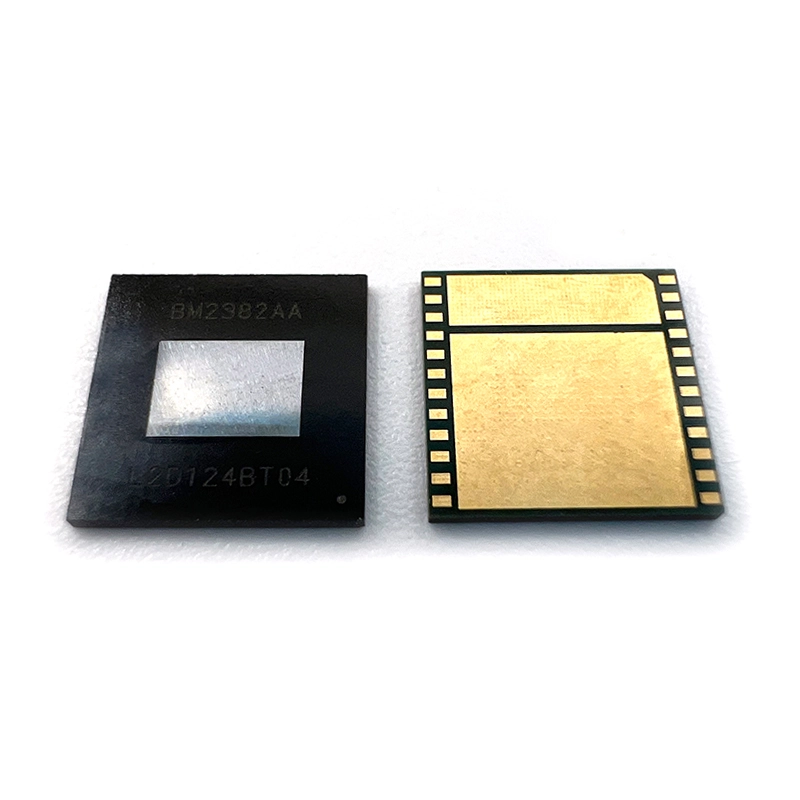
- The ASIC (BM1370) is a chip that can do nothing but compute SHA-256 – but 1.3 trillion times per second at 15 W. In the Gaia it is the newer BM1373 (2.6 TH/s at 25 W), in the Bitaxe 702 six older BM1368.
- The ESP32-S3 is the microcontroller next to it: it connects over 2.4 GHz Wi-Fi, fetches the block template from the pool, hands it to the ASIC, collects the results, controls fan and voltage and serves the web interface.
- AxeOS is that web interface (firmware: ESP-Miner, open source on GitHub). You open the miner’s IP in the browser and see hash rate, temperature, shares and best difficulty; that is where you enter pool and Bitcoin address. No account, no app, no manufacturer server.
- The voltage regulator turns 5 V (on the Gamma) into around 1.15 V for the ASIC – it is the component that reaches its limit when overclocking, not the chip.
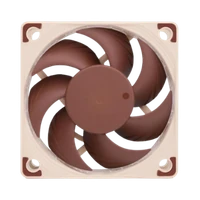
- Fan and heatsink keep the ASIC under 65 °C. A 40 mm fan is enough on the Gamma; from four chips (NerdQaxe) it becomes a 92 mm fan or water.
The sequence in operation: the pool sends a block template, the ASIC tries nonces, every hash below the pool difficulty goes back as a share – proof that the miner is working – and a hash below the network difficulty is a block. Every ten minutes somebody in the world finds one, and the game starts again. What that means for your chance is worked out in Finding a block with a Bitaxe.
The models
The Bitaxe family ranges from one chip to eight. Nerdaxe, NerdQaxe and NerdOctaxe are open developments on the same basis – same chips, same firmware, their own boards with a large display.
| Model | ASIC | Hash rate | Power | Noise | Price |
|---|---|---|---|---|---|
| Bitaxe Gamma 601 | 1 × BM1370 | ~1.3 TH/s | ~15 W | under 15 dB(A) | €139.00 |
| Bitaxe Copperzilla | 1 × BM1370 | ~1.5 TH/s | ~22 W | under 15 dB(A), copper cooler | €179.00 |
| Nerdaxe Gamma | 1 × BM1370 | ~1.3 TH/s | ~15 W | under 15 dB(A), 1.9" display | €159.00 |
| Nerdaxe Gaia | 1 × BM1373 | ~2.6 TH/s | ~25 W | quiet, 1.9" display | €249.00 |
| Bitaxe GT | 2 × BM1370 | 2.15 TH/s | 43 W | quiet | €229.00 |
| Bitaxe 702 | 6 × BM1368 | ~4.2 TH/s | ~90 W | audible | €239.00 |
| NerdQaxe++ | 4 × BM1370 | ~4.8 TH/s | ~80 W | 92 mm fan, calm | €349.00 |
| NerdQX | 4 × BM1370 | ~8 TH/s | ~140 W | ~38 dB, closed case | €429.00 |
| NerdOctaxe | 8 × BM1370 | ~12 TH/s | ~200 W | utility room | €699.00 |
For a first miner the Gamma is the right choice: quiet enough for the living room, €3 of electricity a month, set up in ten minutes. The Nerdaxe Gamma is the same device with a display, the Gaia the most efficient variant (around 10 J/TH). If you want more chance, take the NerdQaxe++ – four times the hash rate, still living-room friendly. The detailed comparison is in Bitaxe or Nerdaxe, all devices with prices and availability in the miner comparison.
 −37%
−37% Bitaxe Gamma | 1.3 TH/s
 −27%
−27% Nerdaxe Gamma | 1.3 TH/s
 −30%
−30% NerdQaxe++ | 4,8 TH/s
Setup in ten minutes
- Plug in the power supply (5 V / 6 A on the Gamma, included). Display and fan start after two seconds.
- With your phone, join the Wi-Fi
Bitaxe_XXXX, openhttp://192.168.4.1, enter your 2.4 GHz Wi-Fi, save. The miner reboots and shows its IP on the display. - Open the IP in the browser – that is AxeOS. Under Pool Settings: host
pool.opensourceminers.de, port3333, user = your Bitcoin address, passwordx. The pool configurator provides the values ready to copy. - Save, restart. After one to two minutes the shares rise and the ASIC temperature settles below 65 °C. Done.
The guide with pictures: Bitaxe setup, for the Nerd devices Nerdaxe and NerdQaxe. If something does not work, the troubleshooter gets you to the cause in three clicks. What every readout in AxeOS means is in AxeOS explained.
Solo or pool?
A Bitaxe can do both; solo is the sensible choice: in a regular pool a Gamma earns around 4 cents a day – less than its 10 cents of electricity. In solo mode it instead plays in every draw for the entire block (3.125 BTC plus fees), with a chance of about 1 in 15,000 per year. Our solo pool pool.opensourceminers.de takes no fee for that and pays a find straight to your address. Background and figures: Solo mining.
Who a Bitaxe is meant for
For anyone who wants not just to hold Bitcoin but to understand it and take part: your own hash rate on the network, a device whose firmware you can read, a ticket in every draw – for the electricity cost of an LED lamp. For tinkerers who want to overclock, swap coolers and connect the miner to their own node. And for beginners who want a working miner in ten minutes, without Linux, without a soldering iron.
It is not meant for anyone expecting a return: in expected value a Bitaxe earns less than it costs in electricity. If you want to make money with it you need a warehouse, not a desk. And it is not a black box: if you want a device you plug in and never look at again, the Avalon Nano 3S serves you better.
Further reading
- Buy a Bitaxe – buying guide with prices, power cost and accessories
- Open-source Bitcoin mining – why open hardware and firmware matter
- Overclocking guide – more hash rate with starting values per model
- Power consumption – what each device costs per month
- Your own node – setting up Public Pool on Umbrel