


Making a Bitaxe quieter: cooling, airflow and worthwhile upgrades for home mining
11 April 2026 · 7 min read · Updated on 22 August 2026

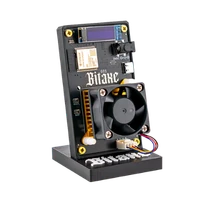
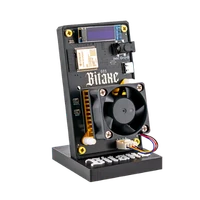
At under 15 dB(A) from the factory, a Bitaxe Gamma is quieter than a fridge. That it still gets noticed is down to pitch: a 40 mm fan spins fast, and a high tone carries further in a quiet room than a low hum. So a miner does not get quieter by simply slowing the fan – then the chip runs hot – but by producing less heat, shedding it over more surface and letting the fan spin slowly as a result. This article goes through the levers in the order in which they help.
Lever 0: fan curve and clock in AxeOS – costs nothing
From the factory AxeOS controls the fan automatically to a target temperature of 60 °C. That is conservative: the ASIC is perfectly happy at 65 °C, and every degree of extra target lets the fan spin noticeably slower. Under Settings you can set the target to 65 °C – on a Gamma in a 22 °C room the fan runs noticeably slower – audibly quieter, without touching a screw. Leave the manual percentage alone: it ignores the temperature, and in summer the automation is your insurance.
The second free lever is the clock. A Gamma at factory settings (525 MHz / 1150 mV) needs around 15 W; anyone who has overclocked to 625 MHz / 1250 mV produces almost twice the heat at 25 W and needs twice the fan for it. If you want quiet, go back to factory values or even to 490 MHz / 1100 mV – that costs around 7 % hash rate and gives you a fan that no longer stands out in a living room. How clock, voltage and heat relate is in the overclocking guide.
Lever 1: placement and airflow
A miner in a closed shelf compartment heats its own intake air; every extra degree of room temperature arrives one to one at the chip. Three rules: stand free with 10 cm of air around it, not on fabric or carpet (the underside of the board needs air), not in the sun. A Bitaxe that hums along quietly in February at 19 °C room temperature spins up noticeably in July at 28 °C – same setting, nine degrees more at the ASIC. Moving the miner from the bedroom to the study often solves the problem without a single component.
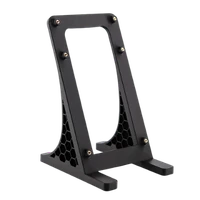
The surface matters too: on a wooden board the fan sounds different from glass, and a miner standing directly on the desk transfers vibration into the top. The supplied 3D-printed stand decouples it; a piece of felt underneath takes care of the rest.
Lever 2: the fan
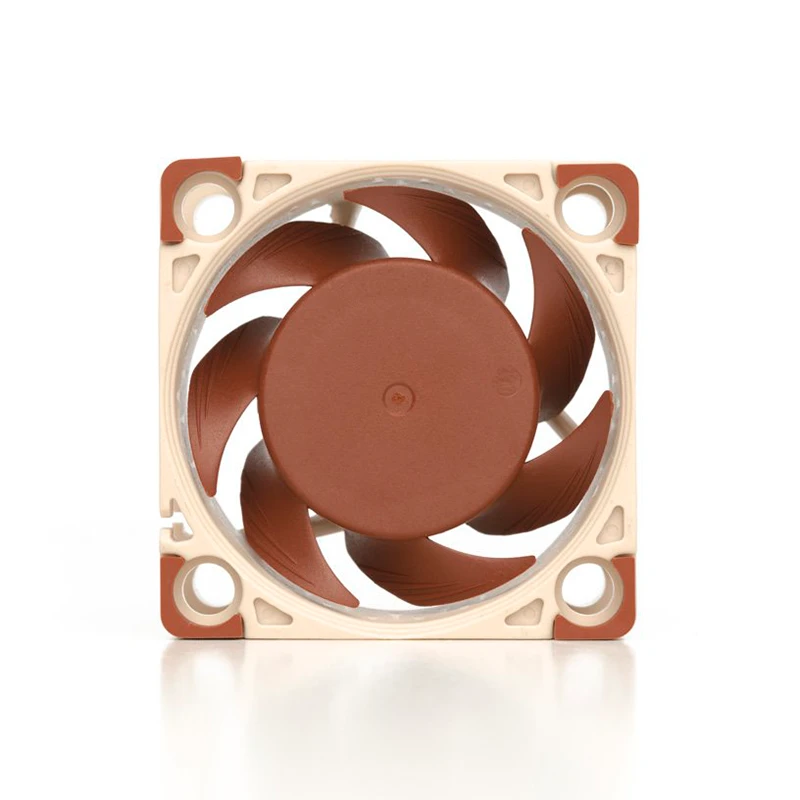
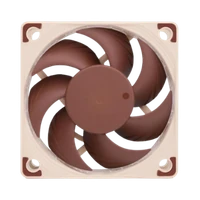
The stock fan is an ordinary 40 mm fan that makes a shrill noise at high speed. The Noctua NF-A4x20 is the counterpart at 14.9 dB at full speed, same 40 × 40 × 20 mm frame, 4-pin PWM and 0.5 W at 5 V – it stays on the AxeOS fan control, the swap takes five minutes. The difference is less the decibel figure than the sound: deep instead of shrill. For a Gamma on the desk this is the step with the biggest effect per euro.
Important: a quiet fan does not cool better, it cools equally well with less noise. If the ASIC temperature stays above 65 °C after the swap, the next lever is due – not the fan speed.
Lever 3: more cooling surface
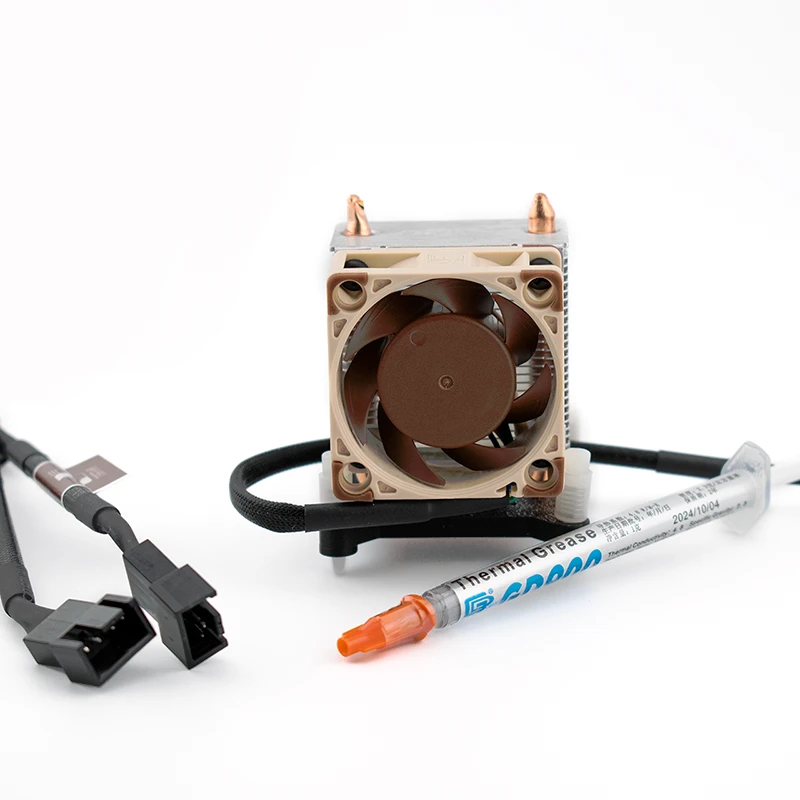
A bigger heatsink lowers the temperature at the same fan speed – or allows a lower speed at the same temperature. This is the lever for warm rooms, continuous operation and overclocking:
| Upgrade | Fits | What it does | Price |
|---|---|---|---|
| ICE Tower Kit | Bitaxe Gamma, Nerdaxe Gamma | Tower cooler with 40 mm Noctua; mount, paste, pins and PWM splitter included | €49.00 |
| ICE Tower Low Profile Kit | Bitaxe Gamma, Nerdaxe Gamma | Four copper heatpipes, flat fin block, 60 × 15 mm Noctua (19.8 dB) – the strongest tier | €69.00 |
| AXP60 Copperzilla 3.0 | Gamma boards | 210 g of solid copper, two heatpipes, 60 mm fan – buffers load peaks when overclocking | €59.00 |
| Copper heatsinks | All open boards | Small coolers for voltage regulators and hotspots – lower the VR temperature, not the noise | €5.00 |
| Noctua NF-A6x15 | NerdQaxe Copper Pro, Performance Case | 60 mm fan at 19.8 dB for the 60 mm mounts of the NerdQaxe range | €30.00 |
The ICE Tower kits and the AXP60 are made for the single-chip boards – they do not fit the NerdQaxe and NerdOctaxe; there the 92 mm fan from the factory is already the quiet route, and the Copper Pro brings solid copper cooling built in. If you want a Gamma with copper from the start, take the Bitaxe Copperzilla instead of retrofitting.
The order in practice
- Note the starting values: ASIC temperature, fan percentage, hash rate after an hour of operation.
- Check placement – free-standing, cool, not on fabric. Run for an hour, compare values.
- Target temperature in AxeOS to 65 °C, clock to factory values. Another hour, compare again.
- Fit the Noctua NF-A4x20 if the sound bothers you.
- Swap the heatsink if the ASIC temperature is still above 65 °C despite everything, or if you want to overclock.
- One change per round – otherwise you will not know what helped.
What the numbers say
For scale: 15 dB(A) is rustling leaves, 30 dB(A) a whisper, 40 dB(A) a quiet office. A Gamma with a Noctua sits below anything a person notices in a living room – as long as the fan is not running at 100 %.
| Device or fan | Noise | Context |
|---|---|---|
| Noctua NF-A4x20 (40 mm) | 14.9 dB | Replacement fan for Bitaxe and Nerdaxe boards, barely perceptible in a quiet room |
| Bitaxe Gamma 601 | under 15 dB(A) | Stock fan with automation, desk operation possible |
| Noctua NF-A6x15 (60 mm) | 19.8 dB | Replacement fan for NerdQaxe coolers and the ICE Tower Low Profile |
| NerdQaxe++ | quiet, 92 mm fan | Unobtrusive in a study, audible in a bedroom |
| Avalon Nano 3S | 33–38 dB | depending on operating state, permanently present in the room |
| NerdQX | ~38 dB | 120 mm and 90 mm fans, large and slow instead of small and shrill |
All devices with noise, power draw and price side by side are in the miner comparison.
Can I simply let the fan spin slower?
Is a Noctua fan worth it on a Bitaxe?
Does my Bitaxe get louder with a bigger heatsink?
Why is my Bitaxe still annoying despite a quiet fan?
Does the ICE Tower Kit fit the NerdQaxe?
What temperature may the Bitaxe run at?
Read more
Setting up the Bitaxe Gamma 601: a step-by-step guide to the first start
Setting up the Bitaxe Gamma 601: a precise step-by-step guide to Wi-Fi, AxeOS, pool settings, your Bitcoin address, monitoring, common mistakes and sensible next steps.
Guides & knowledgePaying with Bitcoin at Bitaxe.de: how to get 5% off
Want to order your Bitaxe and see the option to pay with Bitcoin at checkout? Perfect – that is exactly what we introduced the Bitcoin discount for.
Guides & knowledgeConnecting a Bitaxe to your own Bitcoin node: setting up Public Pool on Umbrel
Your own node, your own stratum server, a found block paid straight to your address: how to set up Public Pool on Umbrel and connect your Bitaxe – with all AxeOS values, storage and sync figures and the six mistakes we see most in support.