
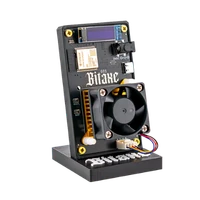

Bitaxe GT | 2.15 TH/s
Two BM1370 ASICs, 2.15 TH/s at 43 W – the middle of the Bitaxe line-up
Item no.: 48734 · Manufacturer: Bitaxe.de · Series: Bitaxe
- 2 × BM1370, 2.15 TH/s at 43 W (~20 J/TH)
- 43 W power draw, roughly 20 J/TH
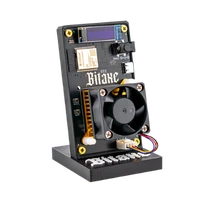
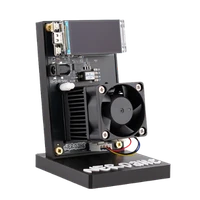
- 0.91" OLED, AxeOS and 2.4 GHz Wi-Fi
- One device instead of two single-chip miners
- Hashrate
- 2.15 TH/s
- Efficiency
- ~20 J/TH
- Power draw
- 43 W
plus shipping · −5% with Bitcoin: €217.55
In stock · ships within 24 h
Product information
Bitaxe GT: open-source Bitcoin miner with 2.15 TH/s from two ASICs
The Bitaxe GT uses the same BM1370 ASIC as the entry models – simply twice. The result is 2.15 TH/s at 43 W, around 20 J/TH. Per terahash that is slightly more power than a single-chip Gamma at roughly 15 J/TH – in exchange you get one and a half times the hash rate in a single device. A 0.91-inch OLED on the board shows the key figures, and everything is configured through AxeOS in the browser. Power comes from a 12V/5A supply rated at 60 W.
43 W is about three times an entry-level device and still a long way from triple-digit wattage. Once both chips are under load the GT is audible – how much is up to the fan curve you set in AxeOS. Consumption works out to roughly 31 kWh a month.
If you mine solo, hash rate does not buy certainty – it buys lottery tickets. Every hash is an attempt at the next valid Bitcoin block. If it lands, the full 3.125 BTC plus every transaction fee in that block goes straight to your own address instead of being shared through a pool. At 2.15 TH/s you hold about one and a half times as many tickets per round as with a single-chip Bitaxe. That does not make a hit likely – what is certain is that your device confirms transactions and spreads the network across more shoulders in the meantime.
Why the Bitaxe GT is the right size for many
- Current chip generation, doubled up: two BM1370 instead of one, around 2.15 TH/s at about 20 J/TH from a single unit.
- One device instead of two: one power supply, one Wi-Fi login, one worker in the pool, one firmware version to maintain.
- Readings without a browser: the 0.91-inch OLED shows the operating state on the device, for example the IP address after a restart.
- Openly documented: AxeOS and the Bitaxe design are open source. Settings, updates and troubleshooting stay with you, not with a vendor.
Two ASICs on one board: what that means in practice
Both chips share the power supply, the voltage rails and the airflow. AxeOS therefore reports one combined hash rate, and every change to frequency or voltage affects both chips – including the heat that has to leave the board together.
Day to day that is an advantage: one cable, one entry in the router, one dashboard. For tinkerers it means more heat over a smaller area than on a single-chip model. If you plan to push it, find a cool, open spot first and only then start changing settings.
Up and running in minutes
Setup needs a power socket, 2.4 GHz Wi-Fi and a browser – no extra computer, because AxeOS runs on the miner itself. Every step is shown with screenshots in the setup guide.
- 1
Connect and switch on
Plug in the 12V/5A power supply. The GT boots and opens its own Wi-Fi access point for the initial setup.
- 2
Set up Wi-Fi
Connect to that network, select your own 2.4 GHz home network and enter the password. The OLED then shows the IP address on your network.
- 3
Pool, worker and Bitcoin address
Open AxeOS in a browser, enter pool address and port, name the worker and store your own Bitcoin address. After the restart the GT keeps working on its own.
Who the Bitaxe GT is for
For everyone past the first steps: the first miner runs, the numbers on the dashboard are familiar, and now you want more hash rate – without fan noise in the next room. It also makes sense as a first device if you already know that 1.3 TH/s will not be enough.
It is less suitable if you count every watt or want the most discreet device for a living room – then the Bitaxe Gamma at 15 W remains the quieter choice. If maximum hash rate per device is the goal, the Bitaxe Supra Hex 702 delivers 4.2 TH/s from six chips – at 90 W, with efficiency close to the GT at roughly 21.43 versus 20 J/TH.
What you need to run it
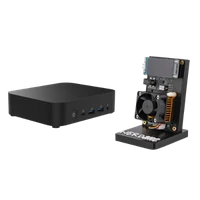
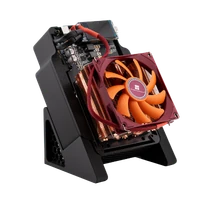
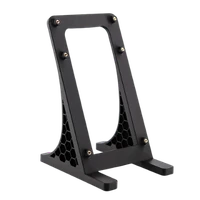
Included are the miner, the matching 12V/5A power supply, a stand and a quick start guide – nothing to buy on top to get going. From your router you need a 2.4 GHz network, from your pool the credentials, and the Bitcoin address is yours.
Plan for some space: the GT should stand free rather than inside a closed cabinet. A socket near the router is convenient but not required – Wi-Fi is on board.
Accessories and sensible upgrades
Out of the box the GT is complete. People who keep building their setup usually go in one of two directions:
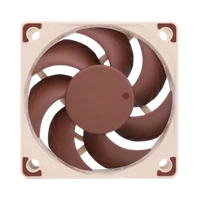
- Cooling: lower temperatures mean lower fan speed and more headroom before you touch the clock.
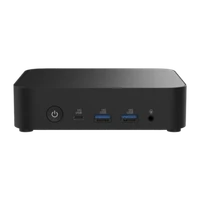
- Bitcoin nodes: your own node at home, so you do not only hash but also validate yourself.
Ready for your Bitaxe GT setup?
The Bitaxe GT is the choice when you want more hash rate without leaving the small format behind: two current ASICs, 2.15 TH/s, 43 W, open firmware and your own Bitcoin address in one device.
Bitaxe GT compared to similar miners
| Model | Hashrate | Power | Efficiency | Price |
|---|---|---|---|---|
| Bitaxe Gamma Copper Pro | ~1,5 TH/s | ~22 W | ~15 J/TH | €179.00 |
| Bitaxe GT (this page) | 2,15 TH/s | 43 W | ~20 J/TH | €229.00 |
| Nerdaxe Gaia | ~2.6 TH/s | ~25 W | ~10 J/TH | €249.00 |
All values are guide figures. Compare all miners, calculate power cost.
Frequently asked questions about the Bitaxe GT
How much electricity does the Bitaxe GT use?
How much hash rate does the Bitaxe GT deliver?
What is the difference between the Bitaxe GT and the Bitaxe Gamma?
One Bitaxe GT or two Bitaxe Gamma – which makes more sense?
What is the difference between the Bitaxe GT and the Bitaxe 702?
How loud is the Bitaxe GT?
Which power supply does the Bitaxe GT need?
Does the Bitaxe GT have a display?
Can I use the Bitaxe GT for solo mining?
Does the Bitaxe GT work on 5 GHz Wi-Fi?
Can I overclock the Bitaxe GT?
What is in the box?
Why buy from Bitaxe.de?
Free shipping from 200 €
Free shipping to almost every EU country from 200 €, shipping to the EU and Switzerland with UPS and a tracking link. Items in stock leave within 24 hours, with no customs surprises inside the EU.
Truly open source
Bitaxe, Nerdaxe, NerdQaxe & co. are open hardware running open firmware (AxeOS or NerdOS): you set pool, clock and voltage yourself. No cloud account, no vendor lock-in, no black box.
CE, warranty & returns
Every product carries the CE marking. Plus statutory warranty and a 14-day right of withdrawal for a safe order. If something is not right, we find a solution with you, person to person.
Direct support
Questions about setup, pool, firmware or your order? By email or Telegram you get help from someone who runs these devices themselves, in English or German, beginners welcome.
Customer reviews
4.8 / 5 · 46 reviews from customers who bought this product from us.
Kurier przywiózł paczkę do Krakowa po czterech dniach roboczych, bez niespodzianek. Gammę mam od zeszłej zimy, więc różnice widać od razu: tu dwa BM1370 siedzą pod wspólnym radiatorem, AxeOS pokazuje jedną łączną wartość hashrate, a każda zmiana częstotliwości działa na oba chipy naraz. Na fabrycznych 525 MHz miałem równe 2,1 TH/s, po podbiciu do 575 MHz i 1175 mV jest około 2,35 TH/s przy 49 W, temperatury 57 i 59 stopni. Sprawność wyraźnie słabsza niż w Gammie, ale z tym się liczyłem.
Soldering is the first thing I noticed out of the box: clean work everywhere I could see, the heatsink sits flat with even pressure on both chips, and the XT30 socket has zero flex when you unplug it. Thirty days at 550 MHz and the hashrate graph is a flat line around 2.25 TH/s with 1 percent rejects. Firmware came as 2.15.1 and the jump to 2.15.3 was one file and a reboot. Properly impressed by how finished the 801 revision feels.
Tolles Gerät, einfache Einrichtung. Passt
Ich habe 2 gleiche Geräte gekauft. Bei 1 Gerät ist der Temperatur fast 5 Grad mehr. Komisch. Sonst alles in Ordnung.
That little screen on the front turned out to be more useful than I expected. After a restart it shows the IP address, so I never had to dig through the router to find the miner, and I glance at the hashrate on it when I walk past. It is tiny, so you lean in, but for something that mostly sits on a shelf that is plenty. Six weeks running and I have opened the dashboard once, to change the pool.
Er steht auf der Kommode im Gästezimmer, frei und mit Abstand zur Wand, damit die Wärme wegkommt. Eingerichtet war er beim ersten Versuch, obwohl ich vorher nie einen Miner hatte.
Related guides
Setup, pool, cooling, power supply and sensible upgrades for your setup.
You might also like

Bitaxe Gamma | 1.3 TH/s

Bitaxe 702 | 4.2 TH/s

Bitaxe Gamma Copper Pro | 1.5 TH/s
