
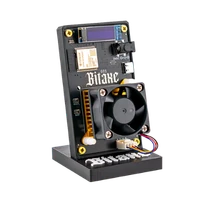


Overclocking a Bitaxe: a safe guide to more hash rate
18 May 2026 · 5 min read · Updated on 22 August 2026

Overclocking a Bitaxe means raising the ASIC clock frequency and – where necessary – its core voltage. You set both in AxeOS in the browser, both are reversible, and both cost you efficiency. This guide gives the values to start from, the step sizes that have proven themselves, and the temperature limits where it stops.
The most important number first: the BM1370 operates in a voltage window of 0.65 to 1.30 volts. 1300 mV is not a recommendation, it is the top of the specification – go beyond it and you leave the defined range.
Starting values
The factory setting is the starting point, not the limit. These combinations run stably with decent cooling – but every chip is an individual, so treat them as starting points to measure from, not guarantees:
| Device | Factory | Moderate | Ambitious |
|---|---|---|---|
| Bitaxe Gamma 601, Copperzilla, Nerdaxe Gamma 1 × BM1370 | 525 MHz / 1150 mV ~1.2 TH/s | 575 MHz / 1200 mV ~1.35 TH/s | 625 MHz / 1250 mV ~1.5 TH/s |
| NerdQaxe++, Copper Pro, Hydro 4 × BM1370 | 600 MHz / 1150 mV ~4.8 TH/s | 700 MHz / 1175 mV ~5.6 TH/s | 750 MHz / 1225 mV ~6.5 TH/s |
For the Bitaxe GT, Supra Hex 702, NerdQX and NerdOctaxe the method is the same but the starting point is their own: read the factory setting in AxeOS and work upwards in the same steps. The more chips a board carries, the tighter it gets thermally – a NerdOctaxe tolerates less enthusiasm than a single-chip board.
What actually happens when you overclock
Hash rate rises almost linearly with frequency: 10 % more MHz gives roughly 10 % more hash rate. Power draw also rises roughly linearly with pure frequency increases – as long as the voltage stays where it is.
And that is exactly the lever. Power grows with the square of the voltage. 10 % more voltage means about 21 % more dissipated power, and all of it comes out as heat. So the order is always: raise frequency first, and only follow with voltage when the device will not stay stable without it. Turn the voltage up first and you heat your way shut before you have even walked the path.
The price is efficiency. From the factory the devices sit at a good compromise between hash rate and consumption; every megahertz above that costs more joules per terahash. Overclocking pays off where hash rate is worth more to you than efficiency – not the other way round.
Three things to check first
Overclocking exposes every weakness in a setup. Tick these three off beforehand and you save yourself half the troubleshooting:
- Firmware up to date. Older AxeOS versions regulate differently and sometimes display different values. Our web flasher gets you current in two minutes without re-entering Wi-Fi and pool.
- Cooling seated properly. Heatsink tight, thermal paste present, fan running, air circulating freely. What actually helps is in the guide on cooling and fans.
- Power supply with headroom. A supply at its limit sags under load peaks – and those come with overclocking. What your device needs is in the power supply guide.
Then measure the baseline: run the device on factory settings for at least two hours and note hash rate, ASIC temperature, VR temperature and hash rate error. Without that reference you cannot judge later whether a change achieved anything.
Overclocking step by step
1. Raise the frequency by 25 MHz
In AxeOS under Settings, raise the core frequency by 25 MHz, save, restart. 25 MHz is small enough that instability tells you immediately which step was too much.
2. Watch it for at least 30 minutes
After the restart the device needs a few minutes for the displayed hash rate to settle. Then look at three things: did the hash rate rise as expected? Do the temperatures stay in range? Is the hash rate error climbing?
A slightly raised error value is normal. If it jumps noticeably or rejected shares pile up, the step was too big – then you either need more voltage or you are at the limit.
3. Voltage only when needed, in 20 mV steps
If the device will not stay stable at the new frequency, raise the core voltage by 20 mV – no more. Then watch again. Once you reach 1300 mV you are done: that is the top of the voltage window, and beyond it more voltage buys nothing but heat.
4. Repeat until it tips
Frequency up, watch, add voltage if needed – that is how you work upwards until the device stops running stably or hits a temperature limit. Then go one step back and stay there.
5. A 24-hour soak test
A setting that holds for an hour is not stable – it just has not crashed yet. Let the setting you found run for a full day, including the warmest hours. Only when hash rate and error value stay calm over 24 hours is it your new default.
The temperature limits
This is where experimenting ends. These are not recommendations but the points at which the hardware reacts:
| Reading | Limit | What happens |
|---|---|---|
| ASIC temperature | below 65 °C | The target range for continuous operation – the device runs for years here |
| ASIC temperature | from ~70 °C | AxeOS lowers the frequency by itself; your hash rate drops despite the higher clock |
| ASIC temperature | mid-70s | Protection kicks in: the chip is held in reset and core voltage pulled to zero until it is back below about 45 °C |
| VR temperature | above 85 °C | Critical – sustained for more than a minute this is a warning state |
The part almost everyone misses: the most sensitive component is not the ASIC but the voltage regulator next to it. Tune while watching only the ASIC temperature and you will cook the regulator long before the chip even starts to throttle. AxeOS shows both values – watch both.
From about 800 MHz on a single-chip board, small heatsinks on the regulator MOSFETs are worth it. Without them the VR temperature is your limit, not the chip.
And the cheapest lever of all: room temperature. The same setting that runs calmly at 19 °C in February can run into throttling at 28 °C in July. If you overclock in winter, check again in summer.
When it is not the clock
Not every problem after overclocking is an overclocking problem. Three patterns that look different from what they are:
- Restarts under load, temperatures unremarkable: that is almost always the power supply. A unit at its limit sags briefly, the device reboots – and the temperature stays perfectly normal throughout.
- Hash rate falls although the clock is unchanged: AxeOS is throttling for temperature. Do not raise the frequency further, improve the cooling.
- Everything stable, but efficiency got worse: that is not a fault, that is the price. Use the mining calculator to check whether the extra hash rate is worth the extra electricity to you.
When a bigger device is the better answer
Realistically you get 20 to 25 percent additional hash rate out of a single-chip board – from about 1.2 to about 1.5 TH/s. That is a noticeable jump, but it does not change the order of magnitude.
If you want considerably more, moving up a class is the more honest route: a NerdQaxe++ delivers four times an overclocked Gamma straight from the factory – at better efficiency, because it gets its performance from the number of chips rather than from squeezing the voltage. The miner comparison puts the devices side by side.
So overclocking is worth it where you want to get everything out of the device you already have – not as a substitute for the next class up.
Does overclocking void the warranty?
How much extra hash rate is realistic?
Which temperature is still fine?
How do I restore the factory settings?
Can overclocking shorten the lifespan?
Does overclocking pay off financially?
Do I have to overclock again after every firmware update?
Read more
Finding a block with a Bitaxe: what are the odds, really?
Every ten minutes the Bitcoin network raffles off 3.125 BTC – and your Bitaxe automatically plays along. Here is the honest math: the odds per block and per year for every device, the lottery comparison, and what exactly happens if you actually hit.
In our own wordsWho owns the Bitaxe?
A single reseller registered the names Bitaxe, Nerdaxe, NerdQaxe++ and Nerdminer as trademarks, two of them for devices it does not even sell. In April 2026 it used them to have 71 of our pages removed from Google. We show the register entries, the letter from their lawyers and the contradictions that come with them.
Guides & knowledgeSetting up the Bitaxe Gamma 601: a step-by-step guide to the first start
Setting up the Bitaxe Gamma 601: a precise step-by-step guide to Wi-Fi, AxeOS, pool settings, your Bitcoin address, monitoring, common mistakes and sensible next steps.