
Bitaxe.de

Hilfe & Support

Here you find everything you need to set up your miner, quick answers to common questions and a direct line to our support team. Whether it is first start-up, troubleshooting or a general question – we will help.

Setup guides

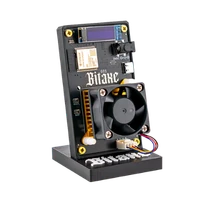
Bitaxe

Bitaxe

Erste Inbetriebnahme, WLAN einrichten, Pool und Wallet hinterlegen – Schritt für Schritt erklärt.

Read the guide

Nerdaxe

Nerdaxe

WLAN, Pool, Wallet, Firmware-Update und Fehlersuche für den Nerdaxe Gamma – mit Bildern vom 1,9-Zoll-Display.

Read the guide

NerdQaxe

NerdQaxe

Auspacken, 12-V-Netzteil, WLAN, Pool und Wallet für die NerdQaxe-Modelle – bis zum ersten Share.

Read the guide

Frequently asked questions

How do I set up my Bitaxe after unpacking it?

Connect the power supply, then join the device’s own Wi-Fi (Bitaxe_XXXX, NERDAXE_XXXX or NerdQAxe_XXXX) and open http://192.168.4.1. Enter your 2.4 GHz Wi-Fi there; afterwards in AxeOS under Pool Settings: stratum host pool.opensourceminers.de, port 3333, stratum user = your Bitcoin address, password x – ready-made values in the pool configurator. The step-by-step guides with pictures are above.

My Bitaxe will not connect to Wi-Fi – what can I do?

First check that your Wi-Fi password is correct. Make sure you are using a stable 2.4 GHz network and that the Bitaxe has decent reception. It is best to set the device up near your router first. If the connection still fails, restart the Bitaxe and repeat the setup.

The Bitaxe starts but does not mine – why?

In most cases the pool configuration is incomplete or incorrect. Check that pool URL, worker name, wallet address and any other credentials are entered correctly – the pool configurator provides the right values. Also check that there is an active internet connection and that the power supply is stable. The troubleshooter takes you to the cause in three clicks.

Why is my hash rate lower than expected?

The hash rate is extrapolated from shares and therefore swings by ±30 % in the short term – what counts is the hourly average compared with the “expected” value in AxeOS. A hash rate error up to 5 % is normal; persistently above 10 % means too little voltage for the clock, heat (ASIC above 65 °C) or a power supply at its limit (input voltage below 4.8 V). The order to check: hash rate error explained and the troubleshooter.

Which power supply should I use for my Bitaxe?

The one in the box: Bitaxe Gamma, Copperzilla and Nerdaxe Gamma run on 5 V / 6 A (30 W), the Nerdaxe Gaia on 12 V / 6 A, the Bitaxe GT on 12 V / 5 A, Bitaxe 702 and the NerdQaxe models on 12 V / 10 A, NerdQX and NerdOctaxe on 12 V / 20 A. A supply that is too weak does not show up at power-on but as restarts under load – in AxeOS the input voltage on 5 V devices must not drop below 4.8 V. More in the power supply guide.

My device gets warm or the fan is audible – is that normal?

Yes, mining produces heat, which is why good ventilation and enough distance to other devices matter. Keep the vents clear and do not run the device in enclosed or very warm environments. As a guide: ASIC temperature under 65 °C is fine; from 70 °C the AxeOS overheat protection throttles the miner. For quieter and cooler operation see making a Bitaxe quieter.

How do I update the firmware?

Fastest through our web flasher: pick the device, plug in the USB-C cable, click “Install firmware”. As long as “Keep configuration” is ticked, Wi-Fi, pool and Bitcoin address survive the update. The flasher pulls the firmware straight from the official releases and only allows the image that belongs to your model – you cannot pick the wrong one. What an update brings and what to check first is in the AxeOS update guide.

What do I do if my Bitaxe does not start at all?

First check the power supply, the cable and the connector. If possible, test another compatible power supply or cable. If the device still does not start, please contact us with your order number and a short description of the fault.

What do I do if my miner is not working properly?

Start with the troubleshooter: it narrows down the most common faults and hands your click path straight to the contact form. If that does not help, send us a short description of the problem by email or Telegram. Photos or a short video help if the fault is visible. We will then go through the next steps with you and help with diagnosis or, if necessary, with a warranty claim.

How do returns, withdrawal and warranty claims work?

Everything about withdrawal, returns and warranty claims is on our page right of withdrawal & returns. Please contact us before sending anything back so that we can give you the correct return address – that way your return is processed faster and assigned correctly.

Support contact

Monday – Friday, 9:00 – 18:00

Support-E-Mail: [email protected]

  • Usually answered within 24–48 hours
  • Help with products, orders, setup & firmware
  • Suitable for Beginners too

Chat support

Wenn es schnell gehen soll, schreib uns auf Telegram – der direkteste Weg zu unkomplizierter Hilfe, egal ob Produkt, Bestellung oder Einrichtung.

t.me/bitaxede
QR-Code zum Telegram-Support von Bitaxe.de

Schreib uns eine Nachricht

Wir verwenden deine Angaben ausschließlich, um deine Anfrage zu bearbeiten. Mehr dazu in der Privacy policy.

Fragen zu Lieferzeiten und Rücksendung beantworten Shipping & delivery und die Right of withdrawal.