
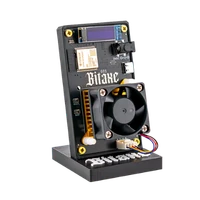
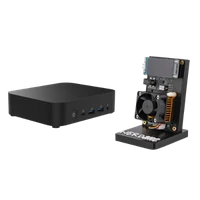
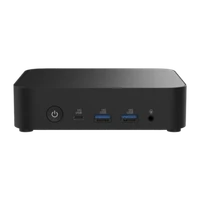
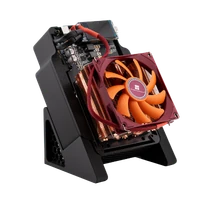
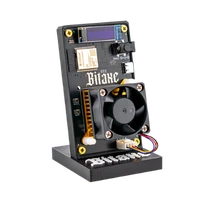
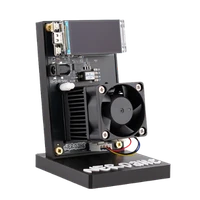

Avalon Nano 3s | 6 TH/s
A finished appliance from Canaan – 6 TH/s at 140 W in a closed case
Item no.: 84471 · Manufacturer: Canaan
- Finished appliance from Canaan, nothing to assemble
- 6 TH/s at 140 W, 23.3 J/TH
- 33 to 38 dB depending on operating state
- 2.4 GHz Wi-Fi via the included USB module
- Hashrate
- 6 TH/s
- Efficiency
- 23.3 J/TH
- Power draw
- 140 W
plus shipping · −5% with Bitcoin: €284.05
Available on backorder · ca. 12 days
Notify me when it is back
One email as soon as this miner is in stock again. No newsletter.
Product information
Avalon Nano 3S: a finished Bitcoin miner with 6 TH/s
The Avalon Nano 3S comes from Canaan and is not an open board but a self-contained appliance: case, cooling, fan control and firmware are tuned at the factory, and the power supply is included. Inside, twelve Canaan ASICs built on a 4 nm process work at a combined 6 TH/s and 140 W – 23.3 J/TH. It joins the network over 2.4 GHz Wi-Fi: the Wi-Fi module plugs into the USB port and is included, and there is no RJ45 socket.
Depending on the operating state the noise level sits at 33 dB to 38 dB: a steady sound that stays present in a study and would be disruptive in a bedroom at night. Electricity adds up to roughly 101 kWh a month. Those 140 W leave the device almost entirely as heat: in winter the Nano 3S noticeably warms a small room, in high summer that argues against running it in the same room.
A finished appliance can solo mine too, and then the same arithmetic applies as for any other machine: 6 TH/s is six trillion attempts per second at the next block, each one a ticket. If one hits, 3.125 BTC of block reward and all fees from the transactions in that block go undivided to your address. The rest is probability, and the hash rate helps secure the network in the meantime. The process is explained in our solo mining guide.
Why a finished appliance instead of an open board
- Nothing to assemble: unpack, plug in, enter the pool. Thermal paste, heatsink choice and fan curves are not topics here.
- Predictable noise level: 33 to 38 dB depending on the operating state – you know what you are getting before buying.
- Closed case: no exposed board, no open cooling fins – an advantage in an office or around children and pets.
A closed system: what that means for you
The Nano 3S is deliberately not a device to build on. Firmware and control come from Canaan, frequency and voltage are not freely accessible, and the case does not allow for a cooler swap. In exchange, very little can go wrong in operation.
You pay for that in efficiency: 23.3 J/TH means every terahash costs more electricity than on current BM1370 boards at roughly 15 to 16 J/TH – the Bitaxe 702 delivers around 4.2 TH/s at roughly 90 W. How the models differ otherwise is shown in the overview buy a Bitcoin miner.
Up and running in minutes
You need a socket, a 2.4 GHz Wi-Fi network and a browser on the same network. No extra computer and no mining software required.
- 1
Position and connect
Place it on a firm surface, keep the air intake and exhaust clear, plug the included Wi-Fi module into the USB port and only then connect the supplied power supply. The Nano 3S then starts up directly.
- 2
Bring it onto the network
During the initial setup you connect it to your 2.4 GHz Wi-Fi; 5 GHz networks are not supported. If it is going to stand in a basement or utility room, check first that Wi-Fi reaches it reliably there.
- 3
Enter pool, worker and Bitcoin address
In the miner’s interface, store the pool address, worker name and your own Bitcoin address and save. Customers note that the printed quick guide is brief – have your pool credentials ready beforehand.
Who the Avalon Nano 3S is for
For everyone who wants to mine Bitcoin at home without working through firmware, cooling concepts and fan curves. Customers describe it as a device for the study that simply runs after setup.
It is less suitable if you want to work on frequency, voltage and firmware yourself – the system is too closed for that. It does not fit a bedroom either: 33 to 38 dB are noticeable around the clock. And if power draw and waste heat should stay small, the Bitaxe Gamma at roughly 15 W is the more appropriate size.
What you need to run it
The box contains the Avalon Nano 3S, the USB Wi-Fi module, the power supply and a quick start guide. Beyond that you need a socket, 2.4 GHz Wi-Fi, pool credentials and your own Bitcoin address.
More important than any accessory is the location: free air intake, a room where 140 W of extra heat does not bother anyone in summer either, and stable Wi-Fi within reach.
Accessories and sensible upgrades
There is deliberately little to extend on the device itself – the sensible next steps are next to it.
- Bitcoin nodes if you want to build your block templates yourself instead of trusting a pool.
- Bitaxe miners as an open complement to the finished appliance, when you also want something to tinker with.
Ready for your Avalon Nano 3S setup?
The Avalon Nano 3S is the uncomplicated option: a closed device with 6 TH/s, a published noise level and a fixed power draw of 140 W. If you want mining at home without turning it into a project, this is the right place.
Avalon Nano 3s compared to similar miners
| Model | Hashrate | Power | Efficiency | Price |
|---|---|---|---|---|
| Nexus S1-01 | ~5 TH/s | ~80 W | ~16 J/TH | €399.00 |
| Avalon Nano 3s (this page) | 6 TH/s | 140 W | 23,3 J/TH | €299.00 |
| NerdQX | ~8 TH/s | ~140 W | ~17 J/TH | €469.00 |
All values are guide figures. Compare all miners, calculate power cost.
Frequently asked questions about the Avalon Nano 3s
How loud is the Avalon Nano 3S?
How much electricity does the Avalon Nano 3S use?
Is the Avalon Nano 3S an open-source miner?
Can I connect the Avalon Nano 3S by network cable?
Does the Avalon Nano 3S heat up the room?
What is the difference between the Avalon Nano 3S and the Bitaxe Gamma?
What is the difference to the Bitaxe 702?
How efficient is the Avalon Nano 3S?
Can I solo mine with the Avalon Nano 3S?
What is in the box?
Is the Avalon Nano 3S suitable for beginners?
Can I overclock the Avalon Nano 3S?
Why buy from Bitaxe.de?
Free shipping from 200 €
Free shipping to almost every EU country from 200 €, shipping to the EU and Switzerland with UPS and a tracking link. Items in stock leave within 24 hours, with no customs surprises inside the EU.
Truly open source
Bitaxe, Nerdaxe, NerdQaxe & co. are open hardware running open AxeOS firmware: you set pool, clock and voltage yourself. No cloud account, no vendor lock-in, no black box.
CE, warranty & returns
Every product carries the CE marking. Plus statutory warranty and a 14-day right of withdrawal for a safe order. If something is not right, we find a solution with you, person to person.
Direct support
Questions about setup, pool, firmware or your order? By email or Telegram you get help from someone who runs these devices themselves, in English or German, beginners welcome.
Customer reviews
4.8 / 5 · 42 reviews from customers who bought this product from us.
Habe hier 3x den Canaan Avalon Nano 3S bestellt. Schneller Versand und sie laufen wie ein Uhrwerk :) Top zufrieden!
Closed box, runs off a USB-C brick, has done its 6 TH/s for three months now, and the fan is a soft whoosh I tuned out after the first week.
Picked this one because I did not want to build anything, and so far that logic holds. It lives on the top shelf of the bookcase in the spare room, between the printer and a box of old cables, and my flatmate has stopped asking what the little screen is for. Setup happened on the sofa with the Avalon app and took maybe ten minutes, the only snag being that I had to look up what a worker name even is. The web page on the laptop is where I look at it, mostly out of curiosity whether the number still starts with a 6. What I had not thought through was the 140 watts. The spare room is now the warmest room in the flat and the cat has started sleeping on the shelf next to it, so during the week it runs in Medium at roughly 100 watts and only gets the full 140 at the weekend when I am in there anyway. Two weeks so far, it has not dropped off the WiFi once, and the only thing I still do is glance at the screen on my way past.
Thanks to this, my first ever miner, the office stayed cosy all through May. In July it got way to warm in there, so the window was open all summer.
Ich komme von offenen Boards und war neugierig, wie sich ein komplett geschlossenes Gerät im Alltag anfühlt. Antwort nach einer Woche: angenehm unaufgeregt. Vorne zeigt das Display Hashrate, Leistung und IP, bedient wird über eine Touch-Taste, und sonst gibt es am Gehäuse schlicht nichts anzufassen. Die Firmware bleibt Canaans Sache, Overclocking fällt also flach. Spannender fand ich die Software. Die Avalon-App brauche ich eigentlich nur für die Kopplung und zum Wechseln zwischen Low, Medium und High, alles andere schaue ich im Browser an. Die Weboberfläche ist schlicht, zeigt Pool-Status und Hashrate aber zuverlässig. Eingetragen ist bei mir der Bitaxe Pool, solo auf meine eigene Adresse. Laut Messgerät zieht er auf High 137 bis 140 W bei 6,3 TH/s, auf Medium knapp 100 W. Als Nächstes binde ich ihn über die Community-Integration in Home Assistant ein, dann landen Hashrate und Watt auf demselben Dashboard wie die PV-Anlage.
Mittwoch bestellt, Freitag geliefert. Eine Woche auf High: Zimmer spürbar wärmer, Netzteil richtig heiß statt nur warm, liegt jetzt auf den Fliesen statt auf dem Teppich.
Related guides
Setup, pool, cooling, power supply and sensible upgrades for your setup.
You might also like

Bitaxe 702 | 4.2 TH/s

NerdQaxe++ Rev7 | 4.8 TH/s

Bitaxe Gamma | 1.3 TH/s
