








Connecting a Bitaxe to your own Bitcoin node: setting up Public Pool on Umbrel
25 April 2026 · 11 min read · Updated on 22 August 2026

A solo pool such as our pool.opensourceminers.de runs the node and the stratum server for you. If you want to run both yourself, Umbrel and the Public Pool app give you a setup with no third-party server between miner and Bitcoin network: your node builds the block template, your Bitaxe hashes it, and a found block goes entirely to your address. This guide takes you from an empty node to the first share – with every value you need to enter.
umbrel.local (or your Umbrel’s IP), port 2018, user yourBitcoinAddress.bitaxe, password x. Prerequisite: Umbrel with a synced Bitcoin Node app and the Public Pool app installed. What the three building blocks do
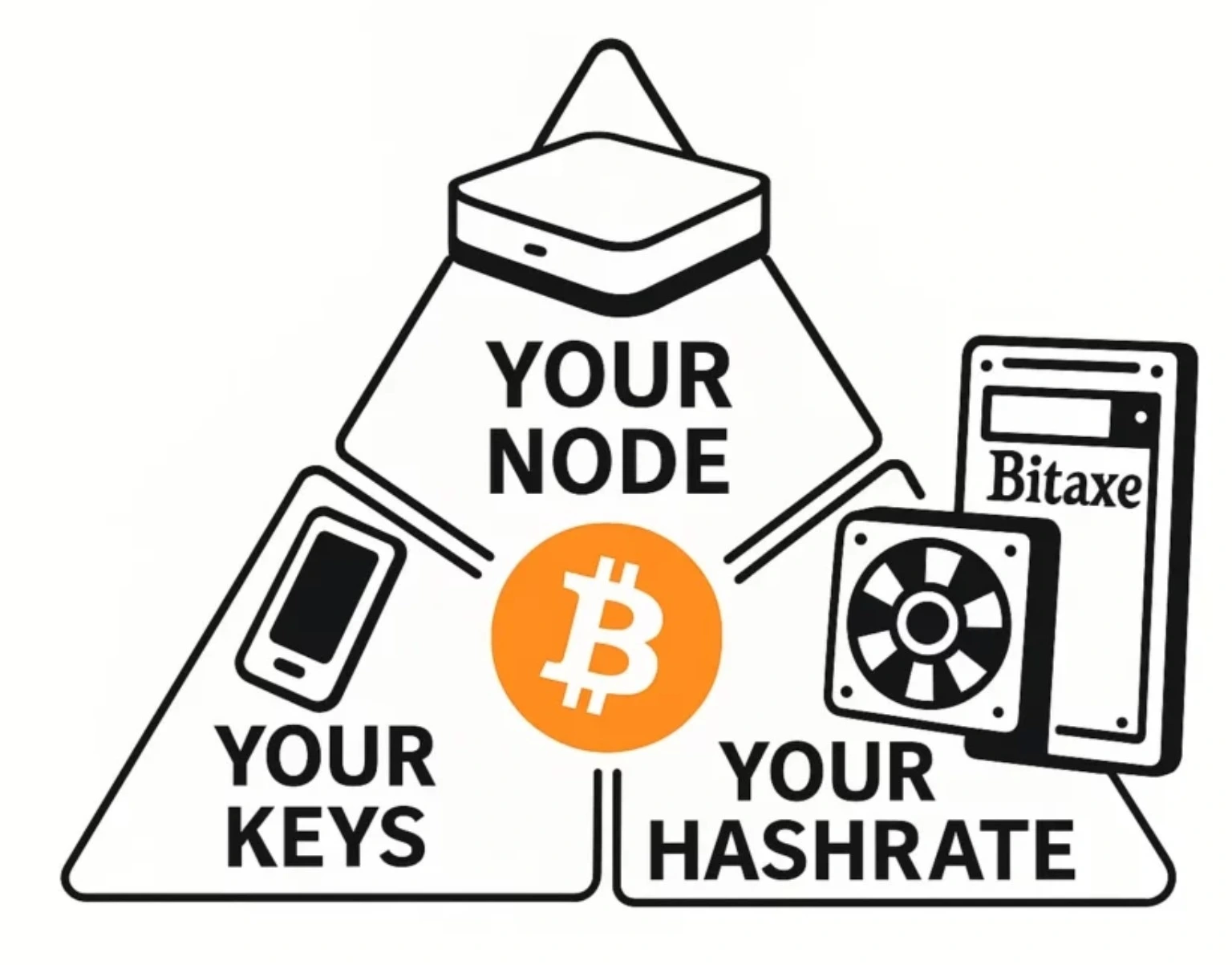
The Bitcoin node (the “Bitcoin Node” app on Umbrel, Bitcoin Core underneath) holds the full blockchain, validates every new block against the consensus rules and knows the current mempool. Public Pool is a small stratum server that fetches this data from the node via RPC, builds block templates from it and hands them to connected miners; if a miner finds a valid block, Public Pool submits it to the network through the node. The Bitaxe delivers the hash rate – it computes, nothing else. A node produces no hash rate, and Public Pool does not replace a miner.
Set your expectations right: the chance of finding a block with your own node is exactly the same as on an external solo pool. You gain independence and insight, not probability. What your model’s hash rate is worth is calculated in Finding a block with a Bitaxe.
Prerequisites
| Component | What you need |
|---|---|
| Node hardware | LiquidBox V5 (Intel N150, 16 GB RAM, 2 TB NVMe, Umbrel OS preinstalled, ~10 W), an Umbrel Home or a Raspberry Pi 5 with an NVMe/SATA SSD |
| Storage | The blockchain takes just under 800 GB (as of August 2026) and grows by around 80 GB a year. 2 TB lasts many years; 1 TB works but gets tight |
| Initial sync | LiquidBox V5 / Umbrel Home: about a day. Raspberry Pi 5 with SSD: two to three days. Raspberry Pi 4: about a week. On a wired connection; Wi-Fi takes longer |
| Network | Umbrel on a LAN cable to the router, Bitaxe on the 2.4 GHz Wi-Fi of the same router – no guest network |
| Miner | Bitaxe, Nerdaxe, NerdQaxe or NerdOctaxe running AxeOS, already on Wi-Fi and reachable in the browser (setup guide) |
| Address | A Bitcoin address (on-chain, e.g. bc1q…) whose keys you control yourself – no exchange and no Lightning address |
The sync must be complete before Public Pool can do anything useful: while the node is still catching up it does not know the current chain tip, and every block template would be stale. The progress is shown in Umbrel right inside the Bitcoin Node app. If you pick the Sovereign Stack from the shop, LiquidBox and miner come matched – the sync still runs once.
Step 1: install Public Pool on Umbrel
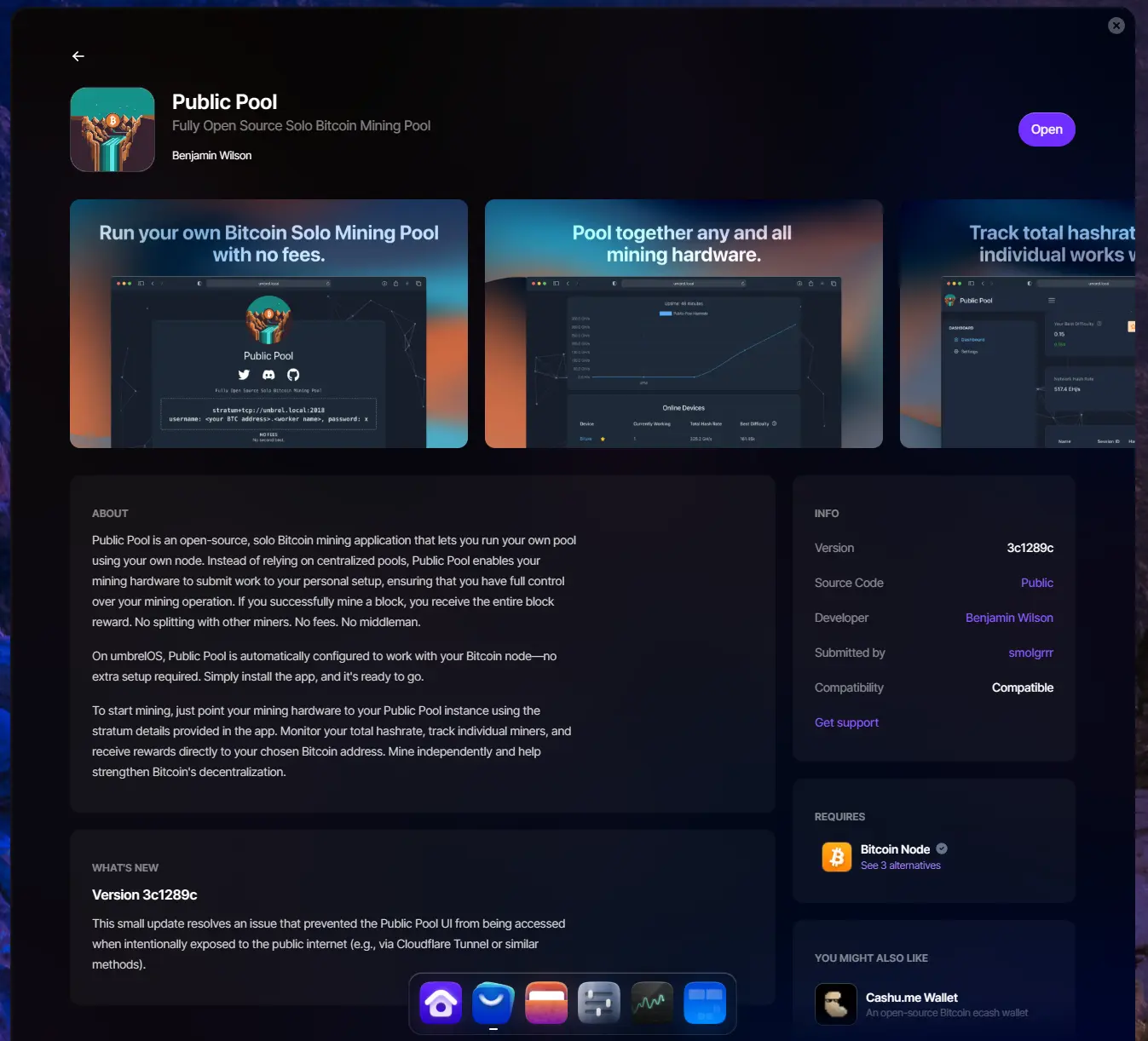
- Open Umbrel in the browser (
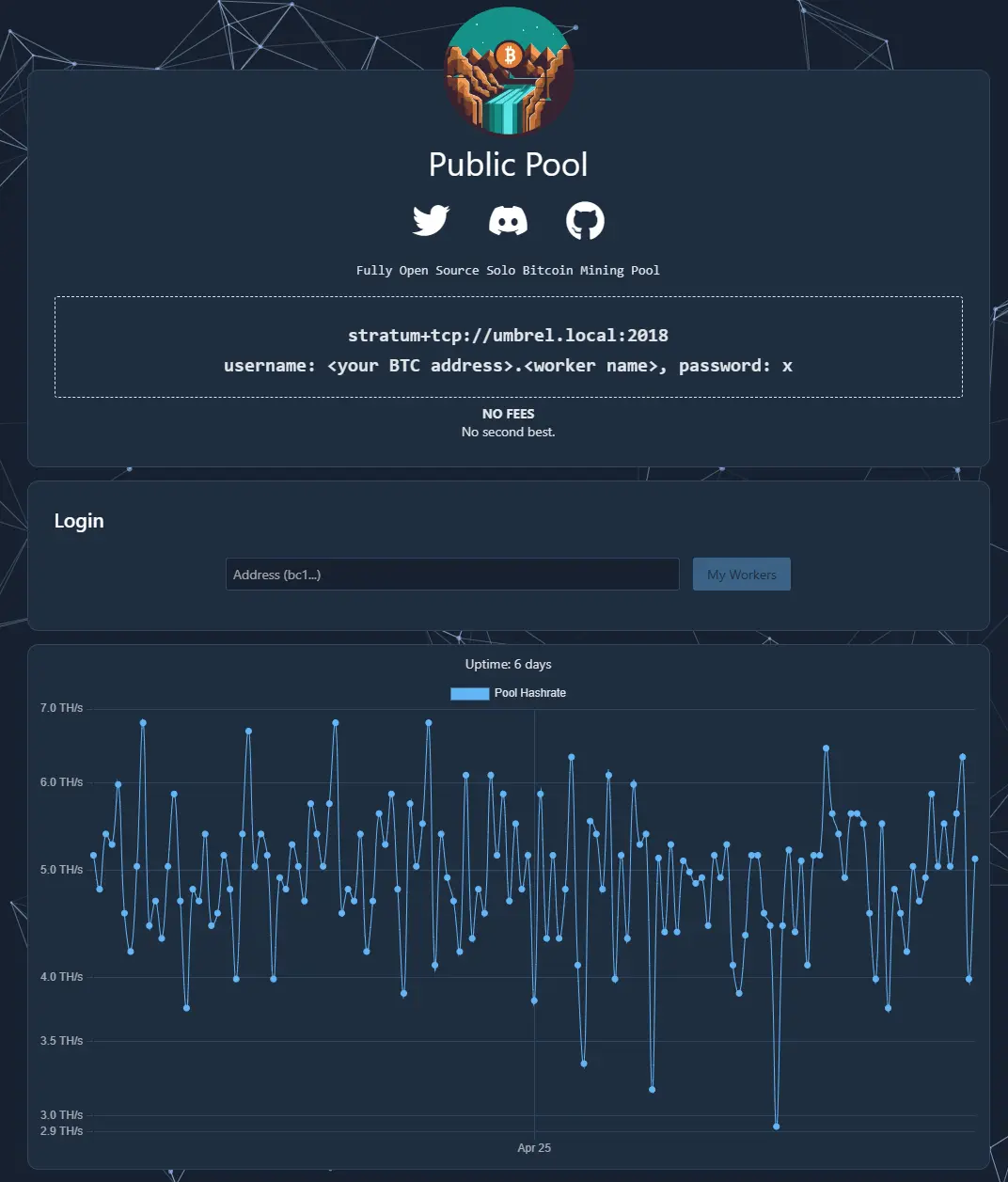
http://umbrel.local), App Store → “Public Pool” → Install. The app requires the Bitcoin Node app and connects to it automatically – there is nothing to configure. - After installation click Open. The interface shows the connection details at the top:
stratum+tcp://umbrel.local:2018, username<your BTC address>.<worker name>, passwordx. - That is all. Public Pool is free, has no account and no settings you need to touch. The interface is for monitoring only.
Step 2: connect the Bitaxe in AxeOS
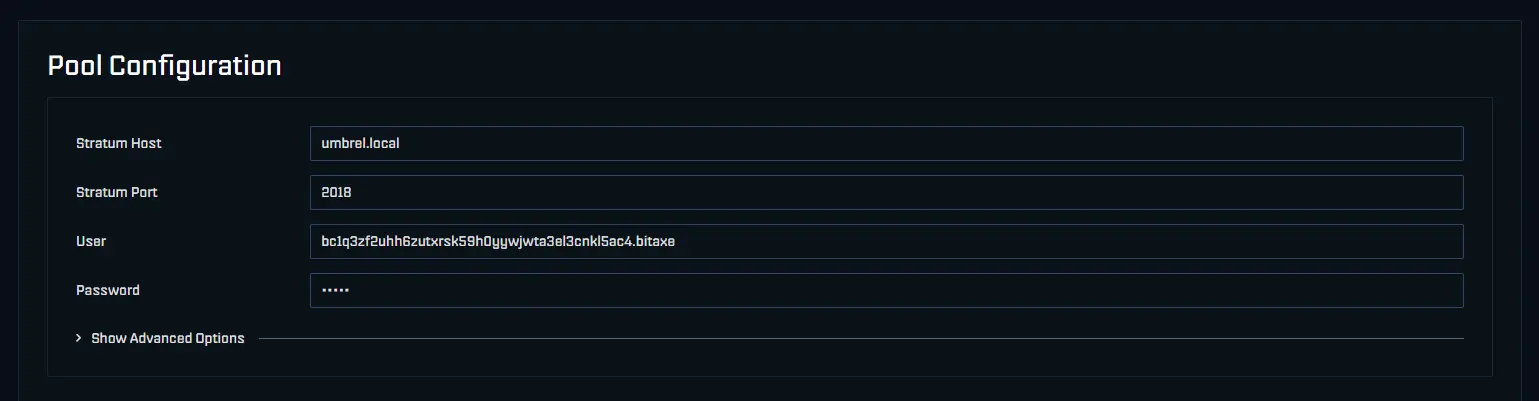
Open AxeOS in the browser via the miner’s IP (shown on the display), Settings → Pool Configuration:
| Field | Value | Note |
|---|---|---|
| Stratum host | umbrel.local | Without stratum+tcp://, without port – AxeOS adds the protocol itself |
| Stratum port | 2018 | Public Pool’s Umbrel port. 3333 is the port of external pools and wrong here |
| User | bc1q….bitaxe | Your Bitcoin address, a dot, a worker name of your choice |
| Password | x | Not checked, but must not be empty |
Save, then Restart. Within one to two minutes the pool status in the AxeOS dashboard turns green, “Best Difficulty” starts climbing, and the miner appears in the Public Pool interface as soon as you enter your address in the “Address” field and click My Workers.
umbrel.local does not resolve on the miner: enter the Umbrel’s IP address instead (router → device list, or visible in Umbrel under Settings) and give the Umbrel a fixed IP in the router so it stays the same after a reboot. The IP always works; the name depends on whether your router passes mDNS between LAN and Wi-Fi. Several miners on the same node
Every additional Bitaxe gets the same values – only the worker name after the dot changes: bc1q….gamma1, bc1q….gamma2, bc1q….nerdqaxe. Public Pool lists the workers separately with hash rate and best difficulty and adds them up to the pool hash rate. A found block goes to the address before the dot regardless of the worker. A single node easily serves a dozen home miners; the block template is the same for all of them.
The six mistakes from support
- Node still syncing. Public Pool runs, the miner connects, but no shares arrive or the miner keeps disconnecting. Wait for the sync to finish in the Bitcoin Node app, then restart the miner.
- Port 3333 instead of 2018. The most common mistake: 3333 is right for almost every external pool, but on Umbrel Public Pool listens on 2018.
stratum+tcp://umbrel.local:2018pasted whole into the host field. AxeOS wants host and port separately; with the protocol or the port in the host field the connection fails.- Guest Wi-Fi. Guest networks block access to other devices on the home network. The miner is online but cannot reach the Umbrel. Move the Bitaxe to the normal 2.4 GHz network.
- Address typed by hand. One wrong character means you are mining for a stranger – and Public Pool cannot warn you, because any syntactically valid address is accepted. Always copy, then double-check in your wallet.
- Everything changed at once. Host, port, password, Wi-Fi and firmware in one go – afterwards nobody knows what helped. Order: sync finished? → Public Pool reachable (Open in Umbrel)? → host/port in AxeOS → address → restart.
If the miner still produces no shares, the troubleshooter walks through the remaining causes from router to firmware.
Security: open nothing to the outside
This setup needs no port forwarding in the router – miner and node talk exclusively on the home network. Anyone opening port 2018 to the internet invites strangers’ miners onto their node and makes the Umbrel needlessly attackable. Remote access to the Umbrel dashboard goes through the intended routes (the Tailscale app from the Umbrel App Store), not through open mining ports.
Own node or solo pool?
| Public Pool on Umbrel | Solo pool (pool.opensourceminers.de) | |
|---|---|---|
| Fee | 0 % | 0 % |
| Found block | Entirely to your address | Entirely to your address |
| Setup | Node hardware, ~800 GB sync, install app | Enter four values in AxeOS |
| Running cost | Node ~10 W (LiquidBox), about €2 of electricity a month | None |
| Dependency | None – own node, own block template | Availability of our server |
| Who it is for | Anyone who wants or has a node anyway | Anyone who just wants to mine |
Both routes are equally promising. The node is worth it if you run one for your wallet anyway or want to – then Public Pool is a two-minute installation on top. If you just want to mine, enter our pool’s values and save yourself the hardware. Whether your own node makes sense for you is covered in Running your own Bitcoin node.
Which port does Public Pool use on Umbrel?
umbrel.local:2018 in AxeOS, host and port entered separately. 3333 applies to external pools, not to Public Pool on Umbrel.How long does the Bitcoin node take to sync?
Can I run Public Pool with a pruned node?
My Bitaxe cannot find umbrel.local – what now?
Who gets the block when several miners hang off the node?
Does my own node increase my chance of a block?
Read more
Setting up the Bitaxe Gamma 601: a step-by-step guide to the first start
Setting up the Bitaxe Gamma 601: a precise step-by-step guide to Wi-Fi, AxeOS, pool settings, your Bitcoin address, monitoring, common mistakes and sensible next steps.
Guides & knowledgePaying with Bitcoin at Bitaxe.de: how to get 5% off
Want to order your Bitaxe and see the option to pay with Bitcoin at checkout? Perfect – that is exactly what we introduced the Bitcoin discount for.
Guides & knowledgeWhich power supply for a Bitaxe? When the standard one is enough and when an upgrade pays off
Every miner from our shop ships with the matching power supply. Here are the values for every model, the connector, the one number in AxeOS that exposes a weak supply, and the maths for several miners on one unit.